Harnoc Power Point Template: A Versatile Design Toolkit
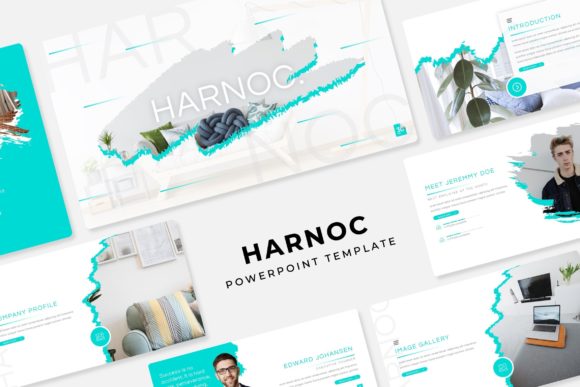
Creating a presentation that truly captivates an audience requires more than just good content; it demands a polished and professional visual framework. The Harnoc Power Point Template offers exactly that, providing a comprehensive design asset that empowers creators to build stunning slideshows with ease and consistency. This isn't just a single template, but a robust system designed for efficiency and visual impact.
At its core, the Harnoc template is a collection of over 150 meticulously crafted slides, organized into five distinct premade color schemes. Each color theme includes 30 unique slides, ensuring you have a dedicated layout for every type of content, from data-heavy charts to image-centric galleries. The design philosophy centers on modern typography and clean aesthetics, making it a perfect match for corporate reports, creative portfolios, startup pitch decks, and educational workshops.
Key Features for a Seamless Workflow
What makes this template particularly powerful is its focus on user-friendly functionality. Every element is designed to save you time while maintaining a pixel-perfect finish.
- Master Slide Based: All layouts are built on master slides, allowing for swift, global changes to fonts, colors, and logos across the entire presentation.
- Drag & Drop Picture Placeholders: Resizable and editable graphic placeholders make inserting your own images a simple drag-and-drop task, preserving perfect alignment.
- Handcrafted Infographics & Section Breaks: Transform complex data into clear, engaging visuals with custom infographics. Use the dedicated section break slides to structure your narrative logically.
- Ready-to-Use Portfolio Slides: Showcase work beautifully with pre-designed gallery and portfolio layouts, ideal for designers, photographers, and agencies.
The package includes everything you need to get started: five PPTX files for each color theme in widescreen format, a helpful readme file, and links to download the free fonts used in the design. This attention to detail ensures your final presentation looks exactly as intended.
Practical Applications and Creative Use Cases
The versatility of the Harnoc Power Point Template extends far beyond standard business presentations. Its clean, professional foundation makes it an excellent starting point for a variety of projects. Educators can use it to create engaging lecture slides. Marketers can develop compelling campaign proposals. Entrepreneurs can craft persuasive investor decks that build brand identity through consistent visual storytelling.
When integrating this template into your workflow, consider a few practical tips. First, always test your content within the chosen color theme to ensure readability and contrast. Second, leverage the master slides to enforce brand guidelines, ensuring your logo and color palette are applied uniformly. Finally, don't overlook the included infographics—they are powerful tools for making data-driven points memorable and digestible for any audience.
Choosing a well-designed template like this one is an investment in clarity and professionalism. It eliminates the guesswork of layout design, allowing you to focus on your message. The right design assets do more than just look good; they enhance communication, build credibility, and make a lasting impression. With its comprehensive features and elegant design, the Harnoc template provides a solid foundation for anyone looking to elevate their visual presentations.